{{ 'fb_in_app_browser_popup.desc' | translate }} {{ 'fb_in_app_browser_popup.copy_link' | translate }}

{{ 'in_app_browser_popup.desc' | translate }}

Your Shopping Cart is empty.
{{ (item.variation.media ? item.variation.media.alt_translations : item.product.cover_media.alt_translations) | translateModel }} {{ (item.variation.media
                    ? item.variation.media.alt_translations
                    : item.product.cover_media.alt_translations) | translateModel
                }}
{{ 'product.bundled_products.label' | translate }}
{{ 'product.bundle_group_products.label' | translate }}
{{ 'product.buyandget.label' | translate }}
{{ 'product.gift.label' | translate }}
{{ 'product.addon_products.label' | translate }}
{{item.product.title_translations|translateModel}}
{{ field.name_translations | translateModel }}
  • {{ childProduct.title_translations | translateModel }}

    {{ getChildVariationShorthand(childProduct.child_variation) }}

{{ 'product.set.open_variation' | translate }}
  • {{ getSelectedItemDetail(selectedChildProduct, item).childProductName }} x {{ selectedChildProduct.quantity || 1 }}

    {{ getSelectedItemDetail(selectedChildProduct, item).childVariationName }}

{{item.variation.name}}
{{item.quantity}}x RM0 {{ item.unit_point }} Point
{{addonItem.product.cover_media.alt_translations | translateModel}}
{{ 'product.addon_products.label' | translate }}
{{addonItem.product.title_translations|translateModel}}
{{addonItem.quantity}}x {{ mainConfig.merchantData.base_currency.alternate_symbol + "0" }}

How To Order

How to purchase with LBC?

Here’s guideline for you to make order in our website, if you’ve any problem please do let us know.

STEP 1

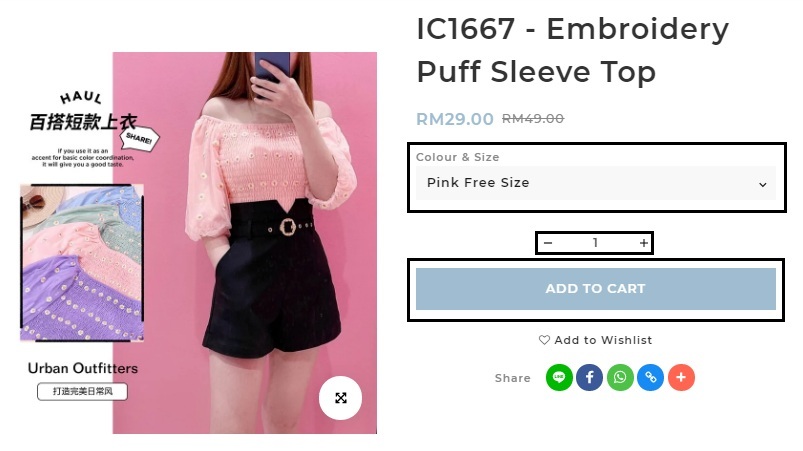
To make a purchase, add the item you want into your shopping cart. Do ensure that the correct size / color are selected as no changes will be allowed upon checkout.


STEP 2

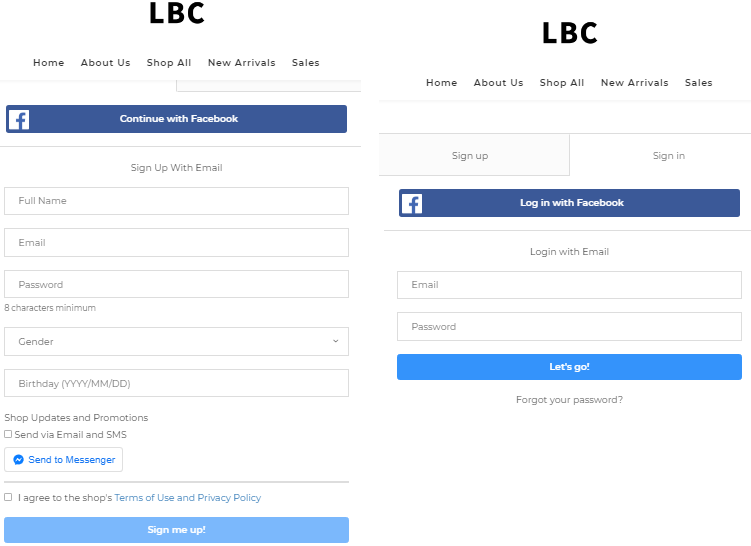
If you do not have an account with LBC, you will need to register an account to complete with your order. 
If you already have LBC account you may proceed to log in your LBC account and complete your order.


STEP 3

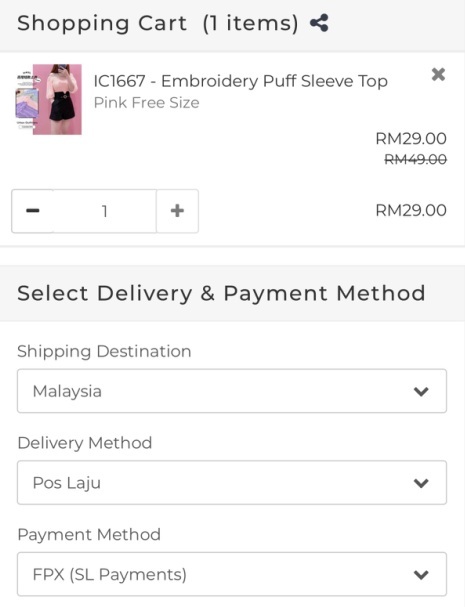
Select your Delivery & Payment Method,  review your shopping cart items and order summary before proceed to checkout.


STEP 4

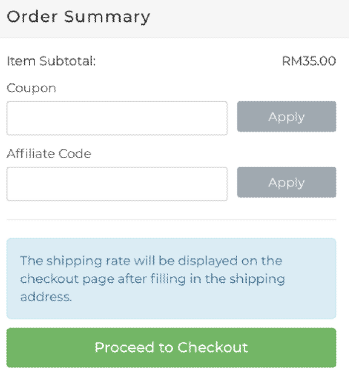
To utilise a discount code, click "Apply A Coupon Code" and key in the respective discount code under the section and press the "Apply" button in the checkout page.


STEP 5

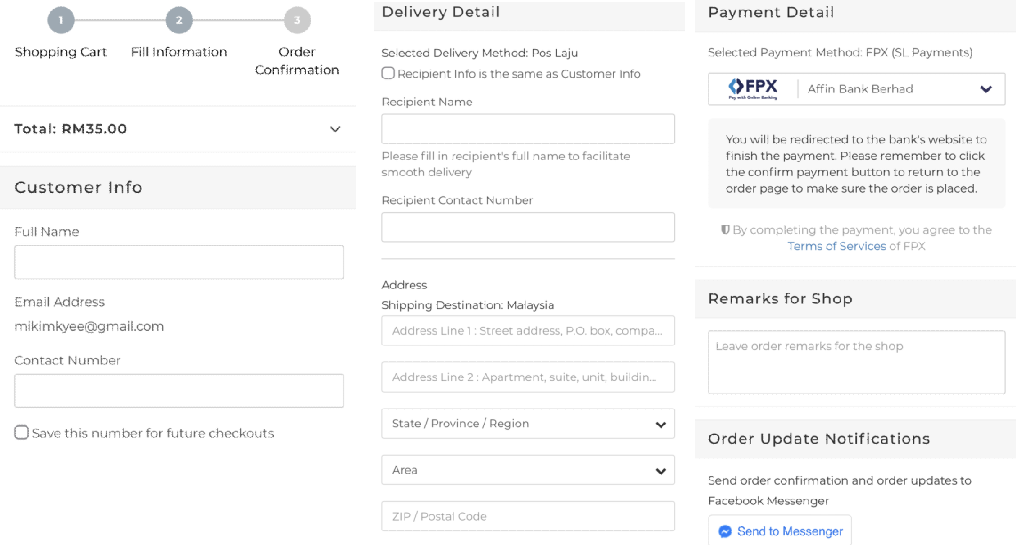
Fill in your Info, Delivery Detail and Payment Detail.


STEP 6

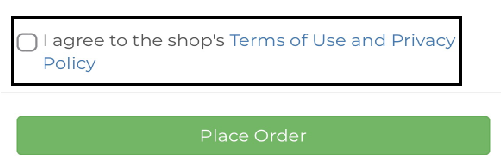
Please read and ACCEPT our Term & Conditions by ticking ✓ "I agree to the shop's Terms of Use and Privacy Policy" and continue to click "Place Order"


STEP 7

Complete your payment and your order is done. Do note that we will not be able to make any amendment towards order once payment have been verified.
 
HAPPY SHOPPING WITH US!
